
CollegePlannerPro Login: How to Access Your Account
If you are looking for the College Planner Pro login, the correct sign-in page depends on how you use the platform. Consultants sign in through CollegePlannerPro, while students and invited parents use the student-facing CustomCollegePlan portal.
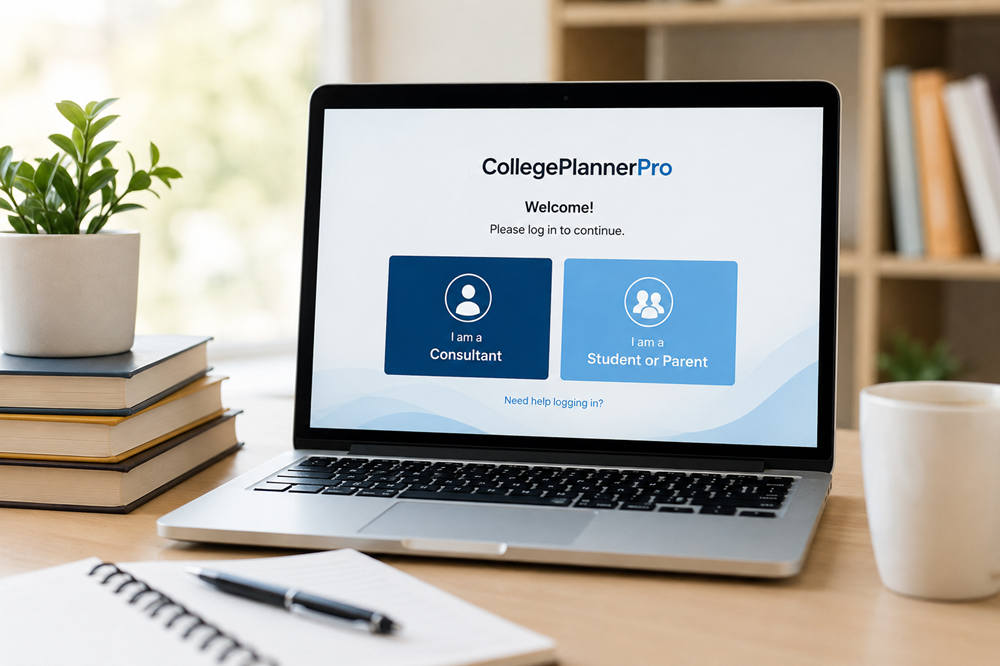
You can start at the official CollegePlannerPro login page, which provides separate options for consultants and students or parents.
CollegePlannerPro Login: Where to Sign In
The official login page gives you two choices:
- I am a Consultant — for educational consultants and counselors using CollegePlannerPro.
- I am a Student or Parent — for people accessing a CustomCollegePlan account.
If your counselor or organization has already given you a specific login address, use that link instead. CollegePlannerPro allows organizations to have customized web addresses for both consultant and student access.
How Consultants Log In to CollegePlannerPro
Consultants should choose I am a Consultant on the main login page and sign in with the credentials associated with their CollegePlannerPro account.
Some practices use their own CollegePlannerPro address, generally following a format such as [company].collegeplannerpro.com. If you have one of these organization-specific links, bookmarking it can make future sign-ins easier.
How Students and Parents Log In
Students use CustomCollegePlan rather than the consultant-facing CollegePlannerPro account. From the main login page, choose I am a Student or Parent and enter the credentials established for your account.
Your educational consultant may also provide a customized CustomCollegePlan address, typically in a format such as [company].customcollegeplan.com. When you have been given a direct link by your counselor, use that address for future access.
Activating a New Student Account
Students cannot create a CustomCollegePlan account independently. The educational consultant must first enable access.
Before access can be enabled, the student’s profile must be active and have an email address attached to it. The consultant can then send an invitation. The student follows the invitation link and creates a password before signing in for the first time.
If you are a new student and have never received an activation invitation, contact your counselor rather than repeatedly trying different passwords.
Parent Access
Parents may also receive their own CustomCollegePlan access when it is enabled by the consultant. Parent accounts provide read-only access to information the consultant has chosen to make visible.
Parents receive an invitation and establish their own password rather than signing in with the student’s password.
Forgot Your CustomCollegePlan Password?
If you previously activated your account but cannot remember your password, you can start a reset from the CustomCollegePlan login screen.
- Open the CustomCollegePlan login page.
- Select Forgot password?
- Enter the email associated with your account.
- Request the password-reset email.
- Follow the link in the email to establish a new password.
If the reset does not work, make sure you are using the same email address your consultant has associated with your profile. You may also want to check your spam or junk folder for the reset message.
If no reset email arrives, your consultant can verify the account information and send another activation or password-reset message when appropriate.
Why You Can’t Log In
If your password appears correct but you still cannot access your account, the problem may involve the portal, account status, or browser rather than the password itself.
1. You Are Using the Wrong Login Page
Consultants use CollegePlannerPro, while students and parents use CustomCollegePlan. If you are a student trying to enter credentials on a consultant login screen, return to the official login page and choose the student or parent option.
2. Your Account Has Not Been Activated
A student needs an active profile, an email address on file, enabled CustomCollegePlan access, and an invitation from the consultant before the account can be used.
If you have never created a password through an invitation, ask your consultant to confirm that your account has been enabled.
3. Your Email Address Does Not Match
Password recovery depends on the email associated with your account. If you have multiple personal, school, or family email addresses, confirm which one your consultant has on file.
4. Your CustomCollegePlan Access Is Disabled
A consultant can disable a student’s CustomCollegePlan access without removing the student’s information from CollegePlannerPro. In that situation, the student cannot sign in until access is enabled again.
5. Your Student Profile Is Inactive
An inactive student profile cannot log in to CustomCollegePlan. If a previously inactive profile is changed back to active, the consultant must manually turn CustomCollegePlan access back on, and the student will need to establish a password again.
6. The Page Is Not Loading Correctly
If the login page itself is behaving unexpectedly, refresh it before changing account information. CollegePlannerPro’s troubleshooting guidance also recommends performing a hard refresh or clearing the site’s cached data when browser information is preventing the latest version of a page from loading properly.
It is also worth making sure your browser is current. CollegePlannerPro and CustomCollegePlan are designed to work with commonly used browsers across computers, tablets, and phones.
CollegePlannerPro vs. CustomCollegePlan
| Portal | Who Uses It? | Purpose |
|---|---|---|
| CollegePlannerPro | Consultants and counselors | Manage student and college-planning information |
| CustomCollegePlan | Students and invited parents | Access the student-facing planning account |
The simplest way to remember the difference is that CollegePlannerPro is the professional side of the system, while CustomCollegePlan provides access for students and invited parents.
Getting More CollegePlannerPro Login Help
Students and parents who cannot resolve an account-access problem should generally contact the educational consultant or counseling organization that created the account. The consultant can check whether the profile is active, confirm the email address, review CustomCollegePlan access, and resend account information when needed.
Consultants can use the official CollegePlannerPro Support Center for technical guidance and troubleshooting.
Frequently Asked Questions
Can parents use the CollegePlannerPro login?
Parents who have been invited generally access their student’s information through CustomCollegePlan rather than the consultant-facing CollegePlannerPro account. The consultant must enable parent access and send an invitation before the parent can establish a password.
Can I use CustomCollegePlan on my phone?
Yes. CustomCollegePlan is designed to be mobile-responsive, so students and parents can access it through a browser on a phone or tablet. CollegePlannerPro also provides instructions for adding a CustomCollegePlan shortcut to a device’s home screen.
Why did my CustomCollegePlan login stop working?
If an account worked previously, first check the email and password. If those are correct, ask your consultant whether CustomCollegePlan access was disabled or the student profile was changed to inactive. A previously inactive profile requires CustomCollegePlan access to be turned back on before the student can sign in again.