
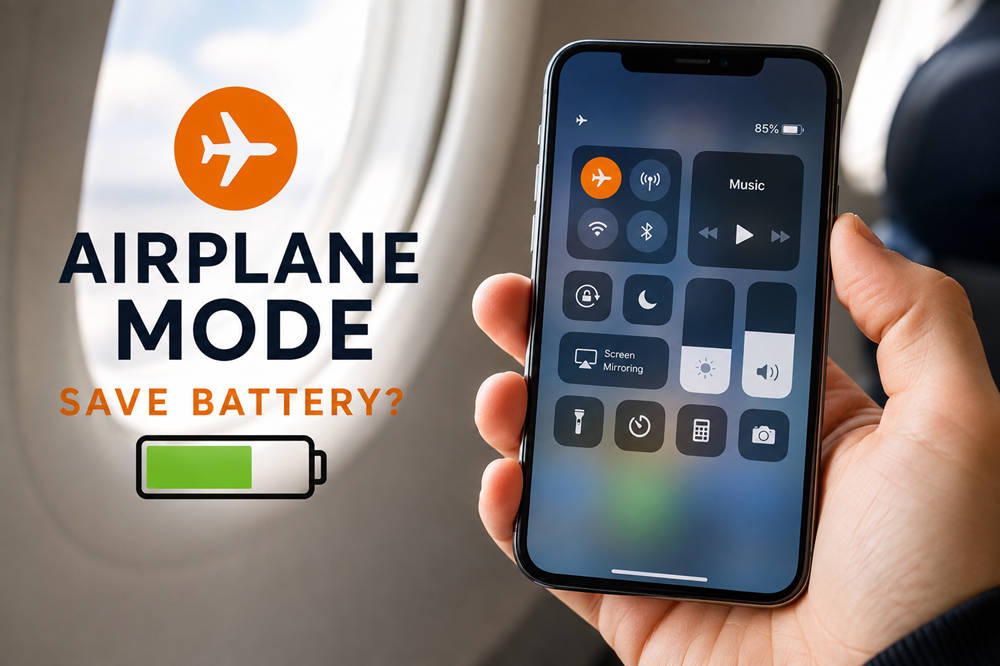
Does Airplane Mode Save Battery? When It Actually Helps
Yes, Airplane Mode can save battery. It turns off your phone’s normal cellular connection and can limit other wireless activity, reducing the power needed to stay connected.
The benefit is usually greatest when cellular reception is weak or nonexistent. If your phone already has a strong signal and is not doing much in the background, the difference may be relatively small. Airplane Mode is most useful when you do not need cellular service in the first place.
Why Does Airplane Mode Save Battery?
A smartphone uses energy to communicate with cellular networks throughout the day. Even when you are not actively making a call or browsing the web, the phone needs to maintain a network connection so it can receive calls, messages, notifications, and mobile data.
Airplane Mode stops that normal cellular communication. Apple specifically identifies searching for service and operating in a low-signal environment as factors that can affect battery life, and its battery guidance recommends Airplane Mode when you expect to spend time somewhere without coverage.
Disconnecting from the mobile network can also reduce some background data activity. Apps will not be able to use cellular data normally, although they may still work offline or connect to the internet if you turn Wi-Fi back on.
Does Airplane Mode Turn Off Wi-Fi and Bluetooth?
Not necessarily for the entire time Airplane Mode is active.
On current iPhones, Airplane Mode turns off cellular and Wi-Fi while Bluetooth remains available. You can also turn Wi-Fi back on without leaving Airplane Mode. Apple’s Airplane Mode guidance specifically notes that Wi-Fi and Bluetooth can be used while Airplane Mode remains enabled.
On Google Pixel phones, Wi-Fi and Bluetooth initially turn off the first time Airplane Mode is used, but either connection can be turned back on. Supported Pixel phones can also remember those preferences for the next time Airplane Mode is enabled.
That means Airplane Mode does not always make a phone completely wireless. You can, for example, stay disconnected from the cellular network while listening through Bluetooth headphones or using Wi-Fi.
When Does Airplane Mode Save the Most Battery?
The usefulness of Airplane Mode depends much more on your situation than on the setting itself.
When You Have Little or No Cell Service
Poor reception is one of the best reasons to use Airplane Mode for battery conservation. This can happen on rural highways, underground transportation, remote trails, inside certain large buildings, or anywhere else where cellular coverage is unreliable.
If you know you will not have usable service for a while, Airplane Mode prevents the phone from spending power trying to maintain a connection that is not useful to you.
When You Are Using Your Phone Offline
Airplane Mode also makes sense when your plans do not require an internet or cellular connection. You can continue using many downloaded or offline features, including:
- Downloaded movies and television shows
- Offline music and podcasts
- E-books and saved documents
- Offline games
- Notes and other locally stored files
- Your phone’s camera
For example, if you are spending a long flight watching movies saved on your phone, leaving the cellular radio active provides little benefit. You can use Airplane Mode and turn Wi-Fi or Bluetooth back on only when you need them.
When Your Battery Is Almost Empty
If your battery is critically low and staying connected is not important, Airplane Mode can help remove unnecessary wireless activity while you wait for a charger.
It is not always the right choice, though. If you need to receive an important call, use online navigation, or remain reachable, a battery-saving mode that preserves connectivity may be more practical.
How Much Battery Does Airplane Mode Save?
There is no reliable percentage that applies to every phone.
A device with excellent cellular reception and little network activity may see only a modest difference. A phone spending several hours with weak or nonexistent service may benefit more because it is no longer dealing with an unreliable cellular connection.
Actual battery life also depends on screen use, apps, Wi-Fi, Bluetooth, battery condition, device model, and other settings. This is why claims that Airplane Mode always adds a specific number of hours or saves a particular percentage of battery should be treated cautiously.
Airplane Mode vs. Low Power Mode: Which Should You Use?
Airplane Mode and battery-saving modes tackle power consumption in different ways.
| Setting | What It Does | Best Time to Use It |
|---|---|---|
| Airplane Mode | Turns off normal cellular communication and can limit other wireless connections | When you do not need cellular service |
| Low Power Mode or Battery Saver | Reduces certain background activity and power-consuming features while keeping the phone usable | When you need to stay connected |
| Both | Combines reduced wireless activity with broader power-saving measures | When the battery is very low and cellular service is unnecessary |
Apple’s Low Power Mode, for example, reduces background activity to extend battery life. Android phones offer Battery Saver features that can similarly restrict certain background processes and other power use.
The simplest rule is this: use Airplane Mode when you can disconnect; use Low Power Mode or Battery Saver when you still need connectivity.
Does Airplane Mode Make Your Phone Charge Faster?
Airplane Mode does not increase your phone’s maximum charging rate.
It may reduce how much power the phone is using while it charges because cellular communication and some network activity are no longer active. In that situation, slightly more of the incoming power may be available for charging the battery rather than operating the phone.
However, the difference may be small. Charger capability, cable quality, device temperature, screen use, current battery level, and the phone’s built-in charging limits generally matter more.
If you want to minimize power consumption while charging, leaving the screen off and avoiding demanding apps can also help.
Should You Use Airplane Mode Overnight?
You can use Airplane Mode overnight if you do not need a cellular connection. It can reduce unnecessary network activity while the phone is sitting unused.
The tradeoff is reachability. Because the normal cellular connection is disabled, you should not assume that standard cellular calls or messages will reach you while Airplane Mode is active.
There is an exception when Wi-Fi is turned back on. Internet-based messaging apps can continue working over Wi-Fi, and phones and carriers that support Wi-Fi Calling may also allow calls over a Wi-Fi connection. Apple, for example, supports making and receiving calls with Wi-Fi Calling when the feature is available.
If staying reachable overnight matters, Low Power Mode or Battery Saver is usually the simpler option.
How to Save Battery Without Going Offline
You do not have to disconnect completely every time you want your battery to last longer. If you still need calls or internet access, try these options instead:
- Use Low Power Mode or Battery Saver. These features are designed to reduce power use while keeping essential connectivity available.
- Connect to reliable Wi-Fi when possible. Apple notes that Wi-Fi generally uses less battery power than cellular networking for internet access.
- Lower unnecessary screen brightness. A bright display can consume significant power during regular use.
- Check your battery usage. If your phone is draining unusually quickly, its battery settings can help identify apps or system activities using a large amount of power.
If the main problem is simply that you are somewhere without useful cellular service, however, Airplane Mode remains one of the easiest options.
The Bottom Line
Airplane Mode can save battery, particularly when your phone would otherwise struggle to find or maintain a cellular connection. The benefit is usually smaller when reception is strong and network activity is already low.
If you still need calls and internet access, Low Power Mode or Battery Saver is generally more convenient. If you can comfortably disconnect—during a flight, in a no-service area, or while using downloaded content—Airplane Mode is a simple way to reduce unnecessary cellular power use.